AIRWORTHYINVOICE
Days worked, per diem and anything they put on a personal card — entered by the contractor, private until they submit it, approved by the office, and forwarded to accounting as a PDF.
See it
Real screens from the live product.
invoice-build.png
invoice-review.png
invoice-pdf.png
What it does
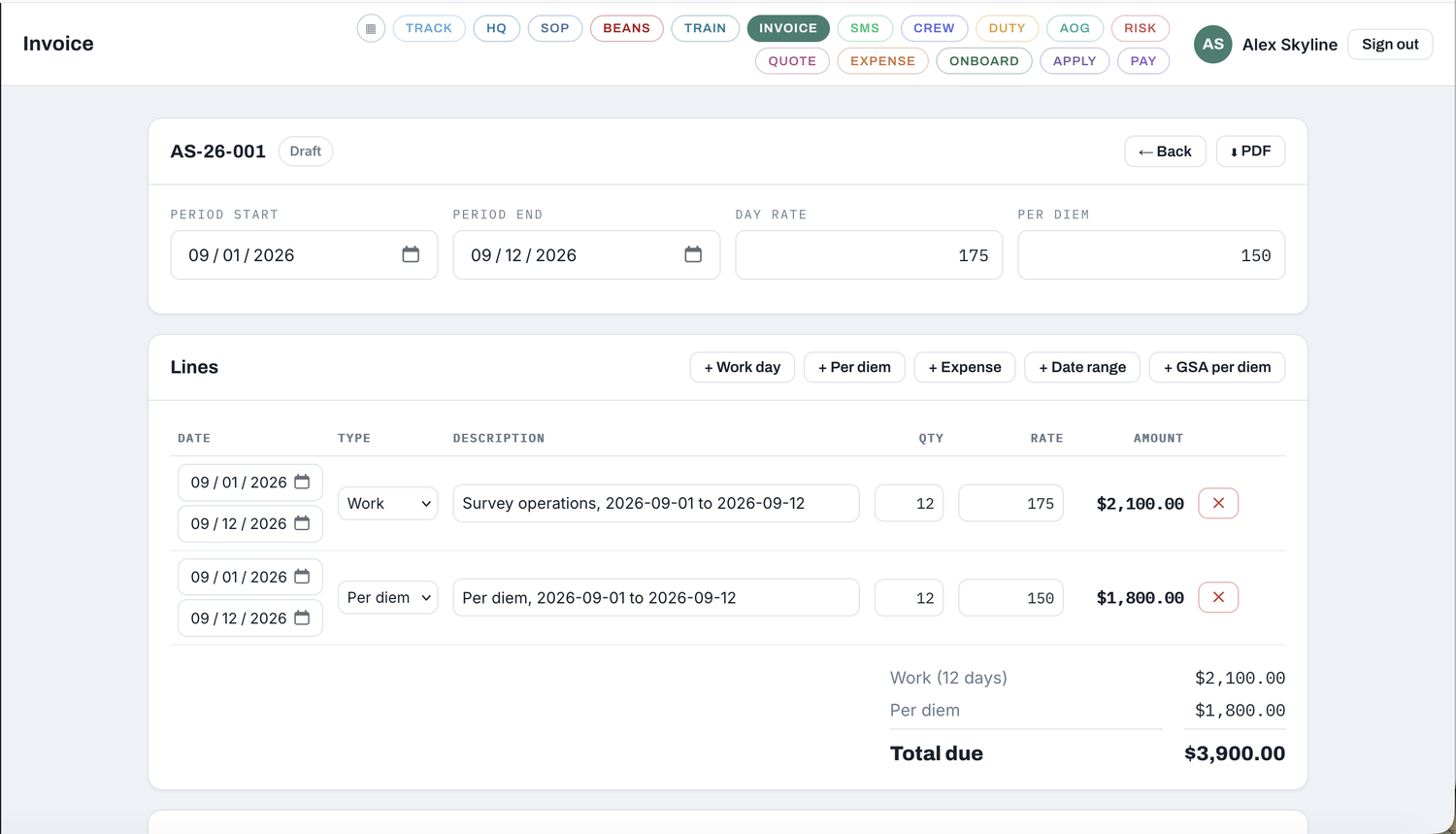
Days grouped, not itemised
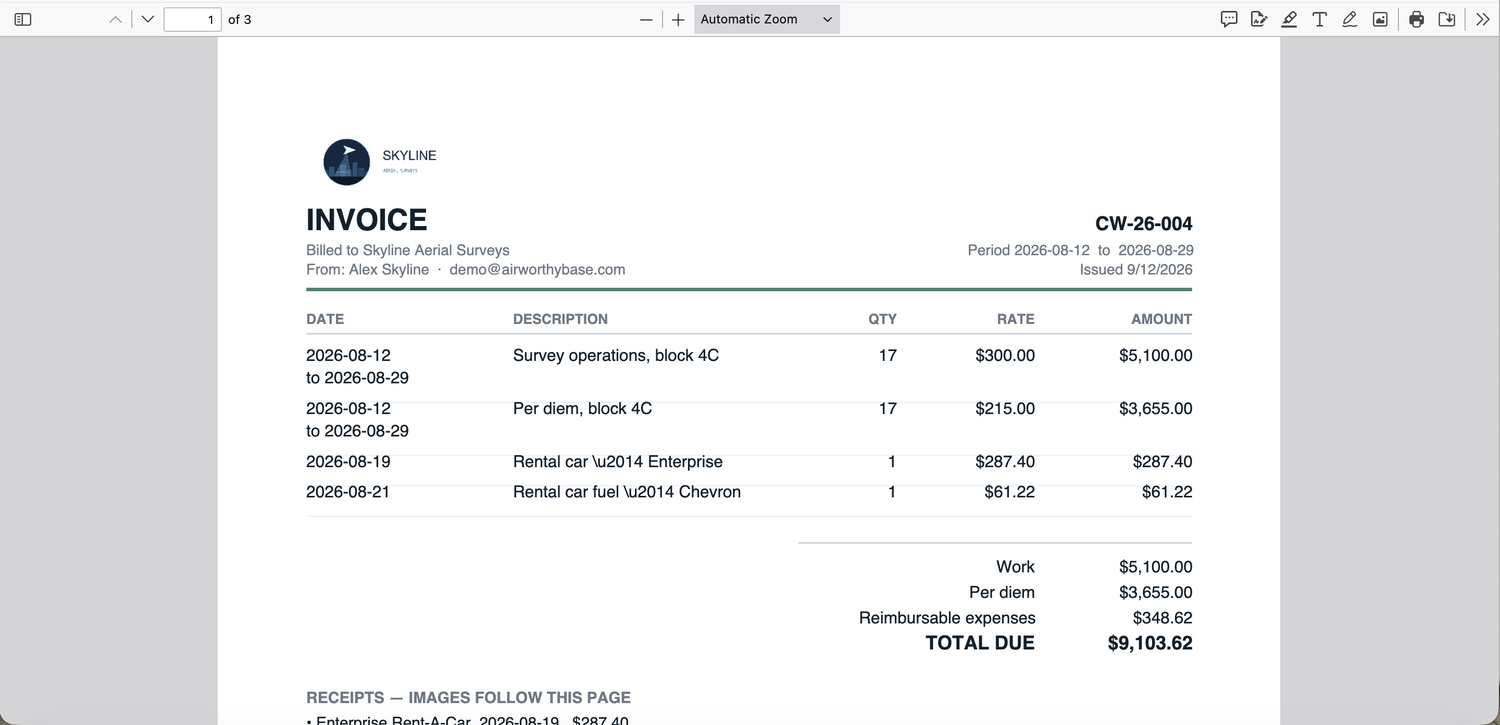
A seventeen-day stint is one line reading seventeen days, with the span shown — not seventeen rows to scroll past.
GSA per diem looked up
For crew claiming the federal rate, type the city and the M&IE rate for the fiscal year is fetched and added at the right number of days.
Receipts read themselves
Drop a receipt on the invoice and the vendor, total and date are read, the expense line is created, and the image is attached to the PDF.
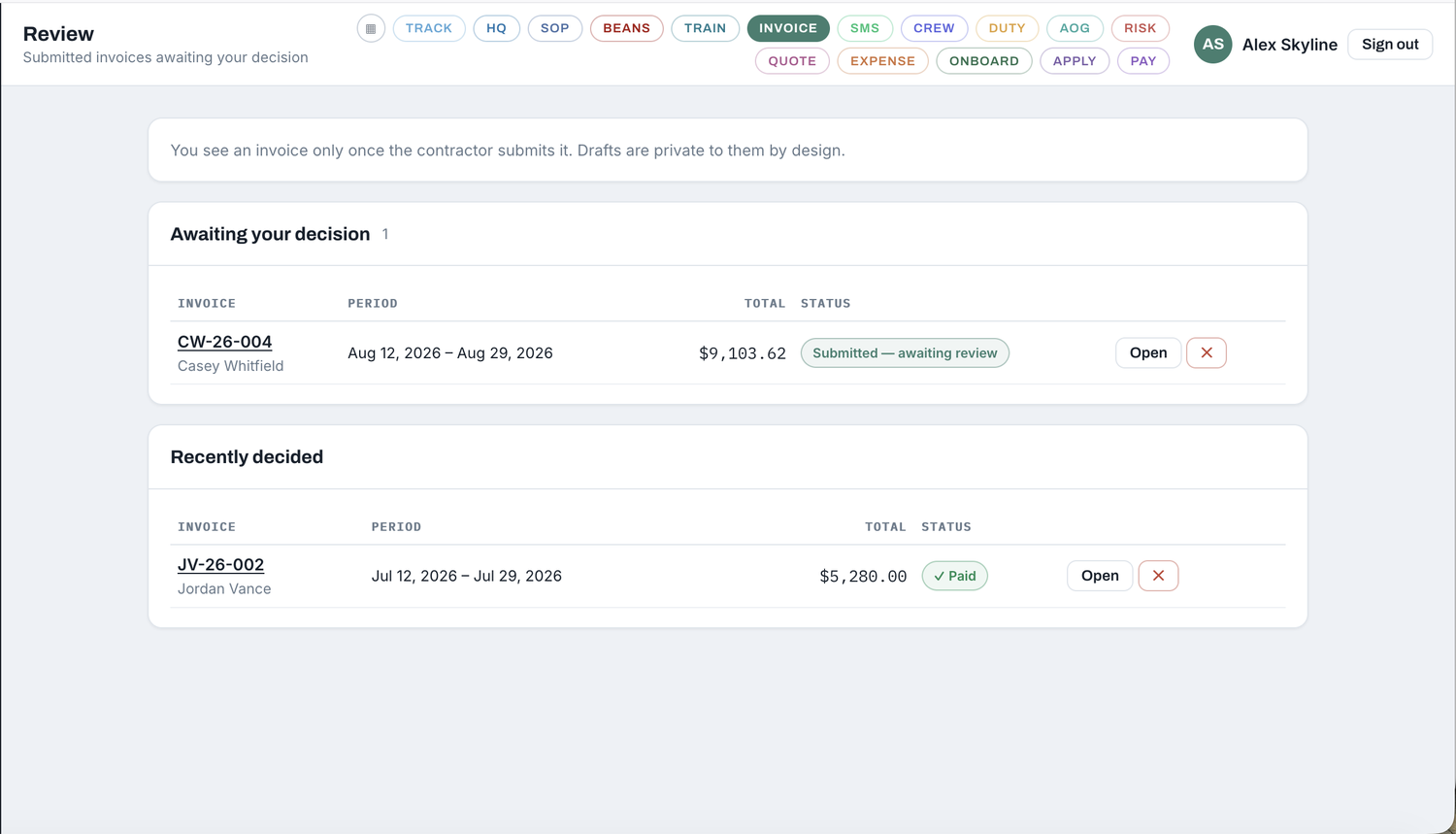
Private until submitted
A draft is invisible to administrators — enforced by the database, not by hiding a button. Submitting makes it visible and emails the PDF.
Better together
Every AirworthyBase module reads from the others — data entered once, working everywhere. Integrations inform; they never assume.
The same receipt reader, applied to a contractor’s own card.
What a rotation was projected to cost, against what was actually invoiced.
Rates come from the consulting agreement they signed.
The rest of the panel
One login. Whole operation.
Take the modules you need. Turn on more when you’re ready.
Request a walkthrough